Boston Predictor said:
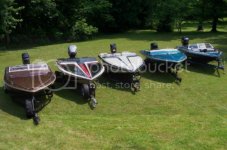
Im not sure how to do that Chris. They are the full size photos on my comp. but when I upload them to photobucket and post them, they come up small

I like the idea of a personal album as a link but I dont know how to do that either. I could have alot of cool stuff in that one

Actually, it's pretty easy.
-Hit the gallery link on the main menu.
-Once you're in the gallery, click on the Checkmate Images link which is near the bottom of the gallery.
Once you enter the particular photo forum area you should see a little menu near the top right.
-Hover your mouse over the upload photos script and click on it.
-You then hit the browse button and navigate your own computer until you find the picture file you want to upload. When you find it click on the particular file and then hit open. The photo post software should now have a file path filled in the box beside where it says browse.
-Fill in any description if you would like to include something with your image. That being a description etc. You can also select the particular forum you would like to upload your photo to. Images you upload will also go into your personal gallery along with the particular forum you select.
-Hit upload/submit.
-The image should now upload and will then be held in your personal gallery.
Now any time you want to post a pic which you've uploaded to the gallery, you just navigate to the photo and then click on the thumbnail and bring up the full size image. You then should see a button which says "copy to clipboard". If you click on that button the software should copy the url of the image to your cache. If you notice there is also a bit of info in front of the actual url as well as a bit at the end. You're going to need to remove that part and just use the
http://checkmate-boats.com/gallery/imagename.jpg part.
Now you're going to use that photos url on the board as you normally would use a url to post a pic. If you want to use the copy to clipboard function you'll have to right click on the box for the url and paste the image's url into the box. You'll then have to remove the bit of code from the beginning and end of the image so you end up with just the url of the image. Once you've done that, you hit the little image box and if you get it right the image should show in your post box before you even finish your post. If you get the red x box, you've got the wrong url in the box. You should then just delete the red X, double check the url and try again.
It might sound complicated, but once you get it figured out it's pretty slick.
If you want to putz around with it, you can always make a test thread in board feedback and figure it out.

You can also just upload photos from your desktop into your post and skip the gallery part. For the instructions on how to do it that way, just read over the photoposting thread and follow the instructions for supporting members. Take note though, if you upload directly into a post, your image doesn't automatically go into the gallery. It runs seperate from the message board software. That's why I like the idea of uploading to the gallery and then just posting the previously uploaded gallery images. That way it's all organized and easy to work with.